Shipments Shipping & Receiving Instructions
Erika Baking Equipment takes proactive steps to help customers receive commercial bakery equipment shipments in the best possible condition. These shipping and receiving instructions explain how to inspect your shipment, review the Bill of Lading, check monitored shipment labels, document possible freight damage, and contact Erika if assistance is needed.
Freight damage, shipping damage, missing items, and delivery issues are handled separately from ordinary product return eligibility. Receiving and documenting your shipment properly helps preserve important shipment records and may help expedite a freight or shipping claim if one becomes necessary.
For shipping damage, delivery concerns, or receiving questions, contact Erika Baking Equipment’s Parts & Service department.
Parts & Service Department
Phone: 973-614-8500
Email: support@erikarecord.com
-
Before You Sign the Bill of Lading
-
When receiving equipment, always review the Bill of Lading, also known as the BOL, before signing.
Do not sign a shipping document before personally inspecting the shipment for visible damage, activated monitoring labels, tripped indicators, damaged crating, missing items, or other delivery concerns.
Before the driver leaves, inspect the outside of the shipment and check any monitored shipment labels attached to the crate or packaging. If you see damage, an activated label, a tripped indicator, or anything unusual, note it clearly on the BOL before signing.
Erika’s Monitored Shipment Program
Erika Baking Equipment uses a monitored shipment process to help customers identify signs of possible mishandling during transit.
Shipments may include traditional handling labels such as “Handle With Care,” “Do Not Stack,” or “Fragile,” along with tamper-evident or motion-sensitive indicators. These indicators are designed to help identify whether a shipment may have experienced rough handling or excessive tilt while in transit.
Two monitored shipment labels customers may see include:
- SHOCKWATCH impact indicators
- TiltWatch Plus tilt indicators
These labels do not automatically mean that equipment is damaged, but they are important receiving signals. If a label is activated or tripped, the shipment should be inspected and documented before the BOL is signed.
-
SHOCKWATCH Impact Indicators
-
SHOCKWATCH is a non-resettable impact sensing label. The label includes a color-changing vial that turns red when rough handling may have occurred.
A normal SHOCKWATCH label has not turned red. An activated SHOCKWATCH label shows red in the indicator window.
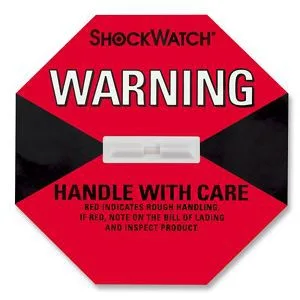
If a SHOCKWATCH label is activated, note the activated label on the Bill of Lading before signing. Also inspect the outside of the crate or shipment for visible signs of damage and document anything unusual.

-
TiltWatch Plus Indicators
-
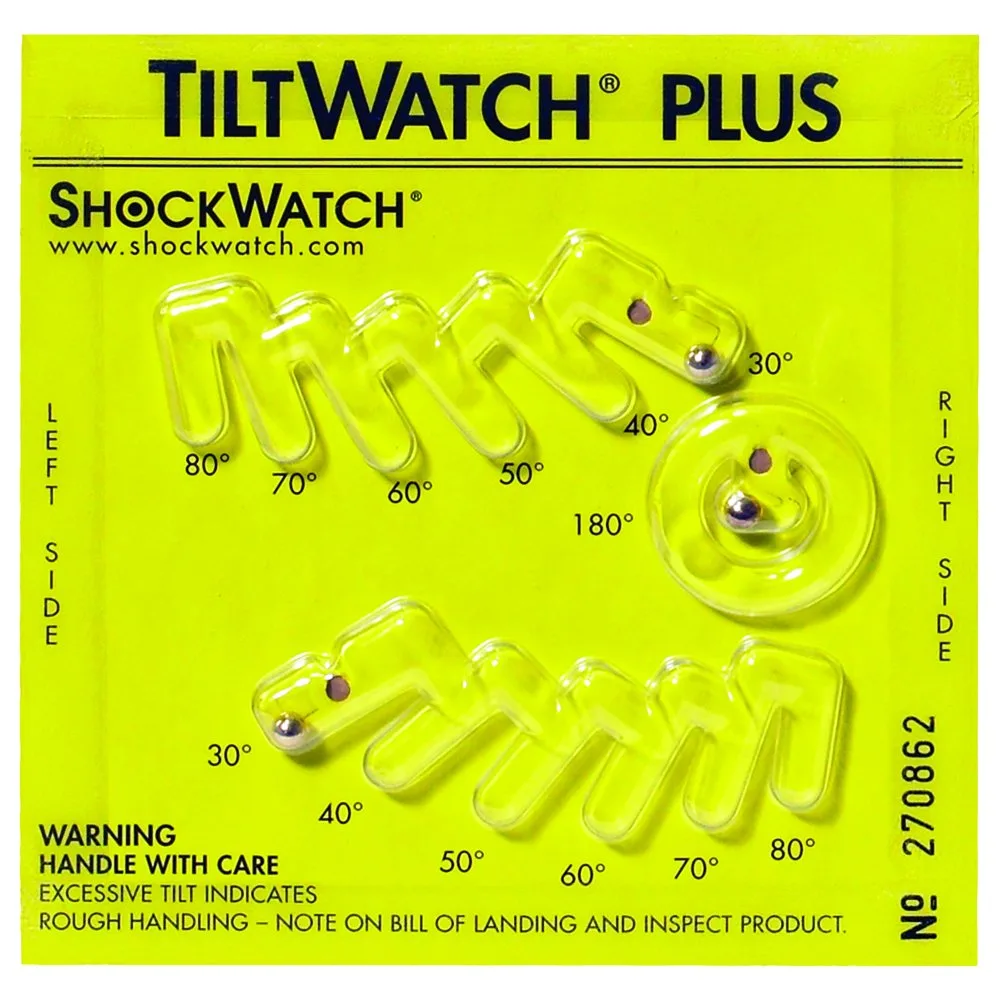
TiltWatch Plus is a non-resettable motion sensing label designed to indicate whether a shipment may have tilted from the upright position during transit.
Movement can be confirmed when the indicator balls have moved from the 30 degree angle indicator. For Erika shipments using this indicator, the maximum allowable tilt angle shown in the customer receiving instructions is 30 degrees.
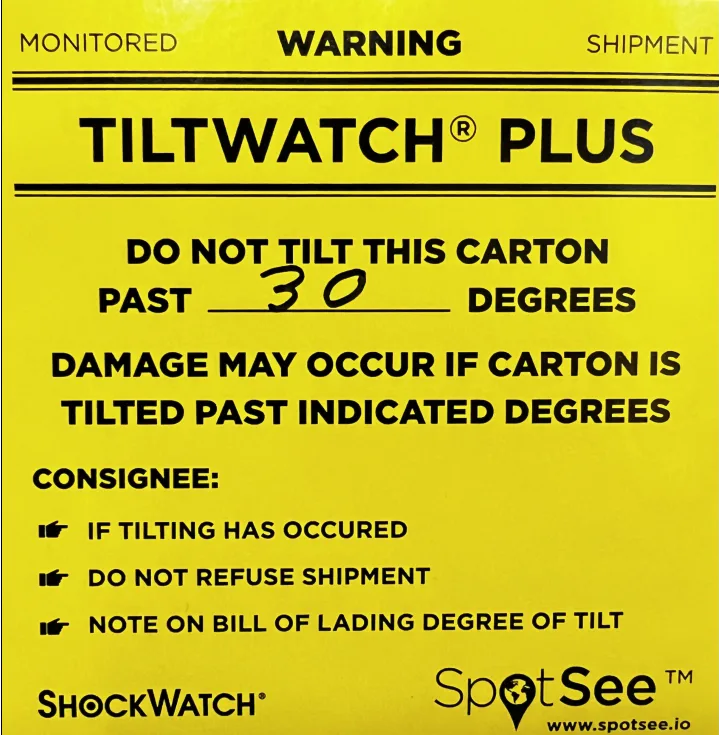
If a TiltWatch Plus label appears to be activated or tripped, note the condition on the Bill of Lading before signing and inspect the shipment for visible signs of damage.
-
What To Do If a Label Is Activated or Tripped
-
If a SHOCKWATCH or TiltWatch Plus label appears activated or tripped, take the following steps before releasing the driver:
- Hold the driver while you inspect the outside of the shipment.
- Check the crate, pallet, packaging, and equipment exterior for visible damage.
- Note the activated or tripped label on the Bill of Lading.
- Note any visible damage to the crating or packaging on the Bill of Lading.
- Add that receipt of the shipment is conditional upon further inspection once uncrated.
- Keep a copy of the notated Bill of Lading for your records.
After the BOL has been properly noted, you may release the driver and accept the shipment.
Before uncrating the machine, take photos of the activated or tripped labels and the condition of the crating. Once the machine is uncrated, take photos of the machine and carefully inspect it for signs of damage. Photograph any visible damage as well.
Do not discard packaging, crate materials, pallets, delivery paperwork, or damaged items until Erika Baking Equipment or the carrier has provided further instruction.

If Your Shipment Arrives Damaged
If your shipment appears damaged, if a monitored shipment label is activated, or if you discover damage after uncrating, contact Erika Baking Equipment as soon as possible.
To help expedite the claims process, email the following information to:
Please include:
- A copy of the notated Bill of Lading
- A written statement describing the assessed damage
- Supporting photos of the labels, crate, packaging, equipment, and visible damage
Before shipments leave Erika’s warehouse, Erika may photograph the equipment and crating for quality control purposes. When the required claim information is submitted, Erika will work with the shipping company to help review and resolve the claim.
-
Important Receiving Reminder
-
The Bill of Lading is an important delivery record. If there are visible signs of damage, activated labels, tripped indicators, or delivery concerns, those details should be documented on the BOL before signing.
A clean signature without damage notes may make it more difficult to support a freight or shipping claim later.
Erika’s Bill of Lading notice reminds customers to inspect SHOCKWATCH labels and note damage before signing. -
Contact Erika Baking Equipment
-
For receiving questions, shipment concerns, freight damage, shipping damage, missing items, or claim assistance, contact Erika Baking Equipment’s Parts & Service department.
Parts & Service Department
Phone: 973-614-8500
Email: support@erikarecord.comErika Record LLC
Publicly known as Erika Baking Equipment
190 Fairfield Avenue
West Caldwell, NJ 07006
Detention Surcharge
Your shipping quote includes up to 30 minutes of waiting time. Waiting time begins once the carrier arrives to your location and is online to your loading dock or unloading area. Waiting time continues to accrue as your freight is unloaded. You may be charged with a detention surcharge for any time beyond the first 30 minutes. Surcharges are determine by each individual carrier. Upon notification, Erika Record LLC will ask the carrier for proof of additional surcharges and will seek additional payment from the client. Clients are responsible for all shipping/detention surcharges.
 BAKERY EQUIPMENT
 EMAIL NEWSLETTER
 Bakery Equipment
 parts, repairs